VanMove.net
English
Sign in
300 parcels free for every new company

Instead of a notebook, Viber and spreadsheets — one app

VanMove.net is for couriers who carry parcels between countries, on their own or with drivers. A parcel is entered once — by the customer, a driver or you — and it is already on the route map with everything needed to handle it.

I'm sending a parcel
  • No subscription fee
  • No app store install
  • Works offline
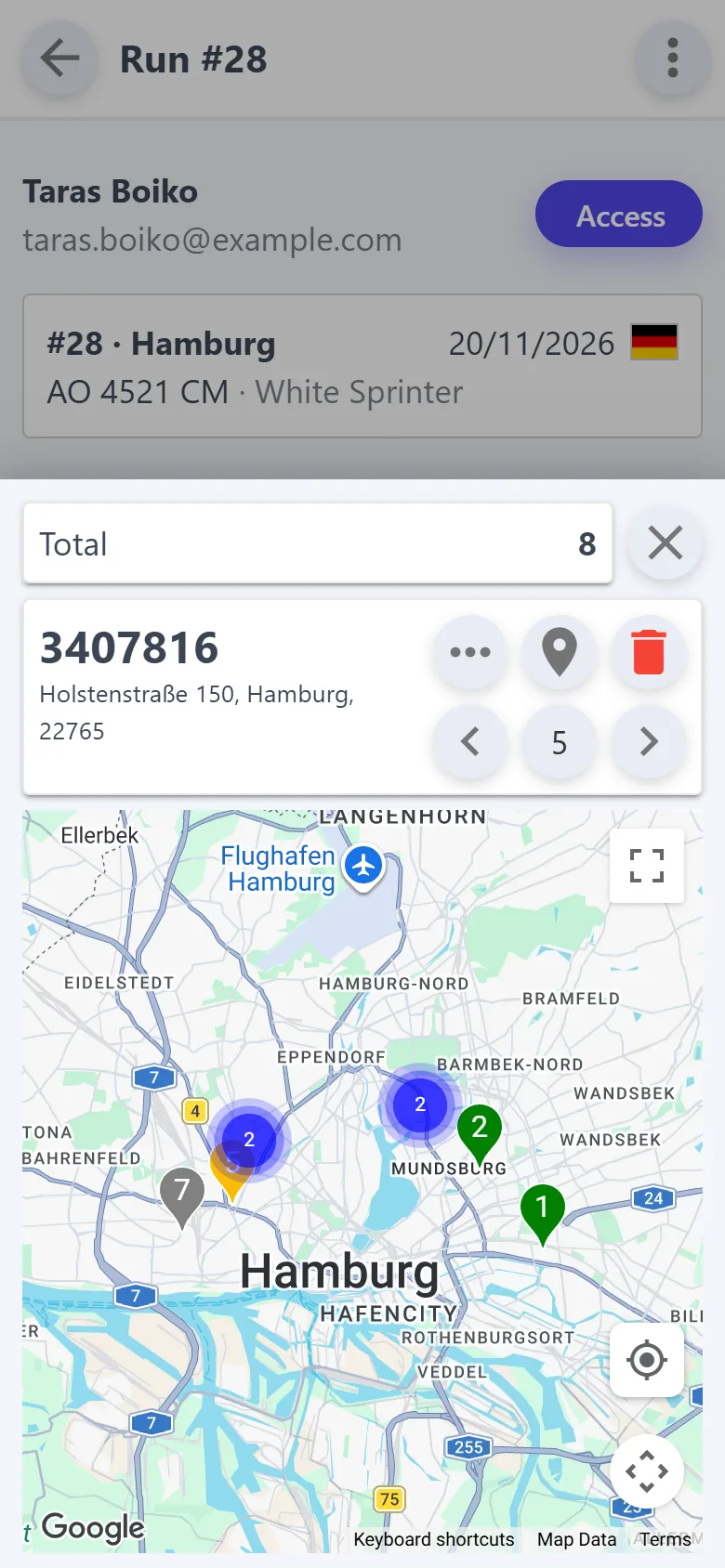
Run map with stop numbers
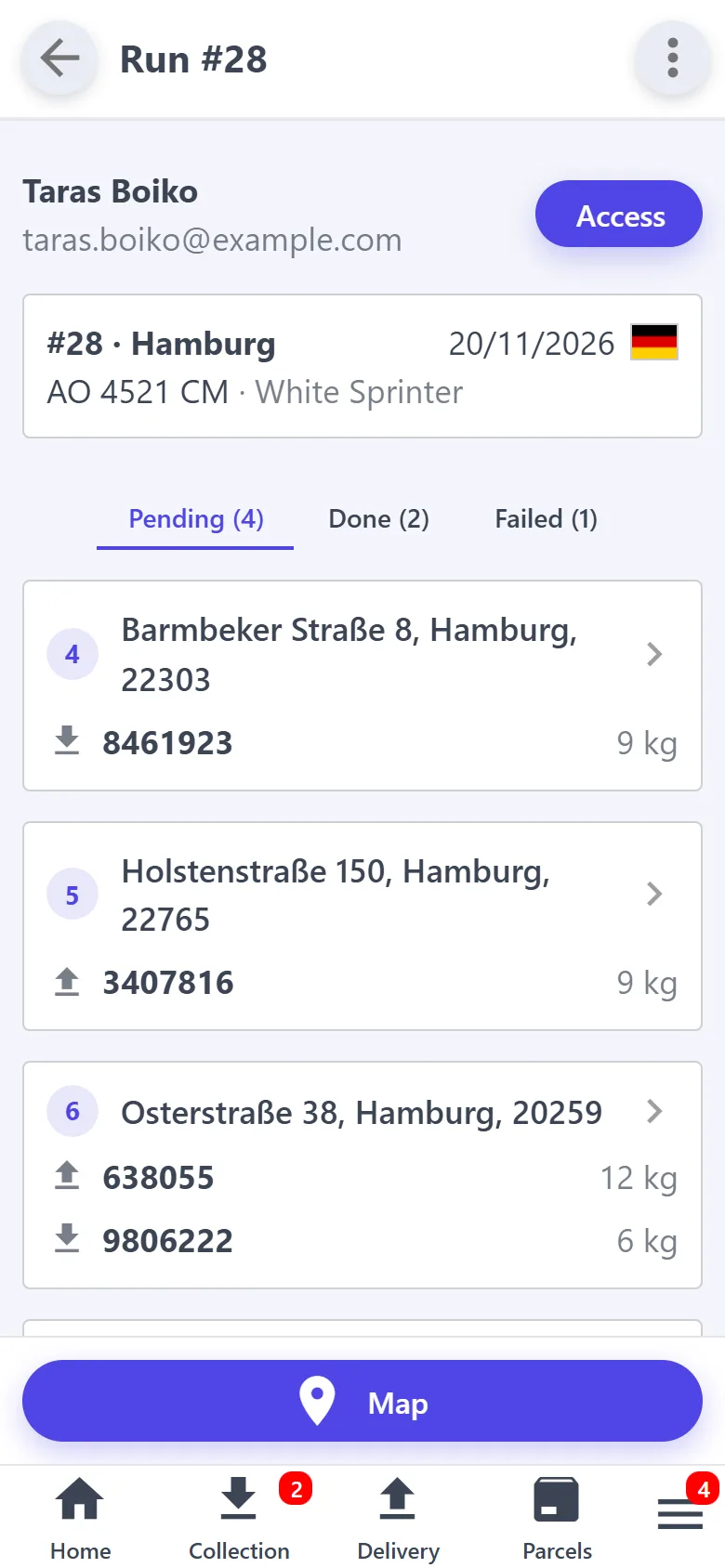
A run: stops by status
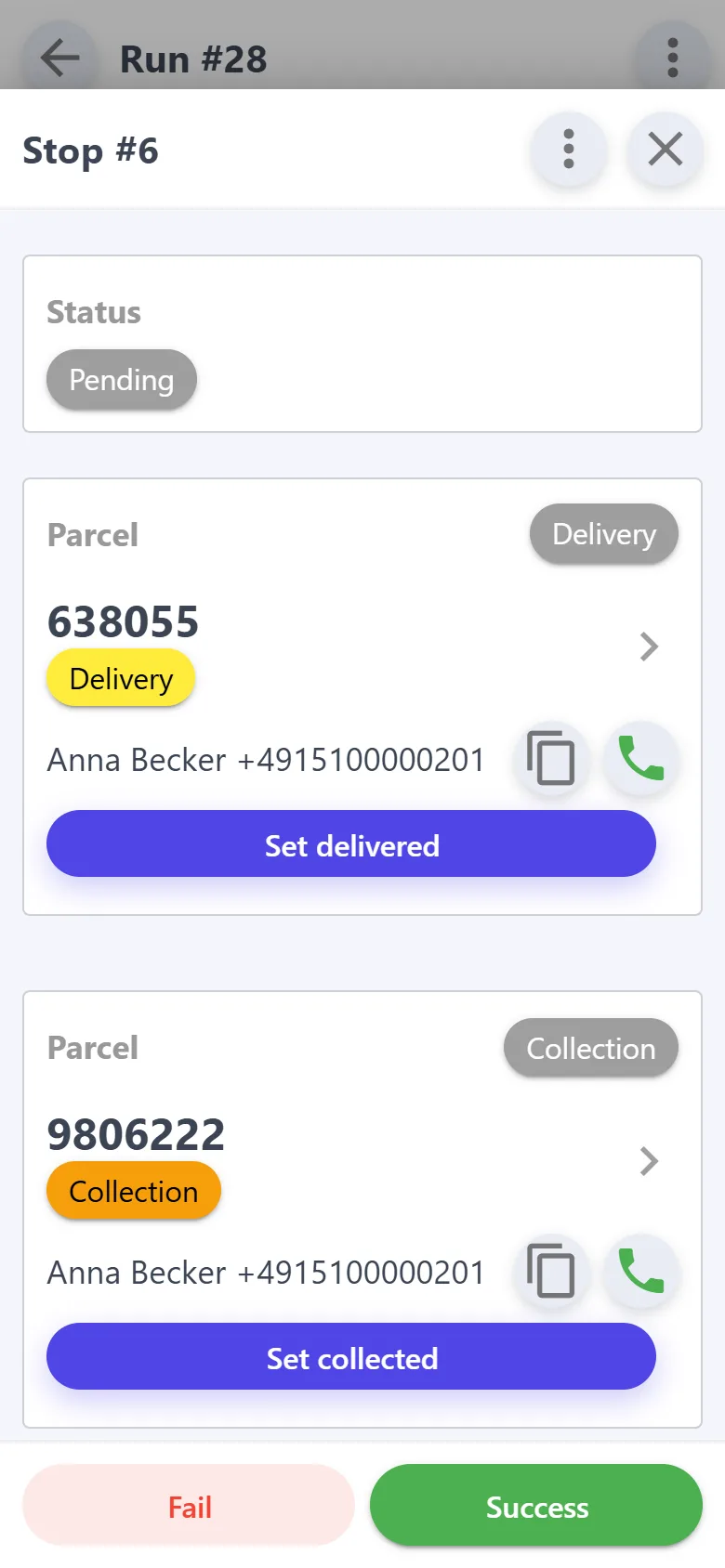
Delivery and collection at one address
New requestMukachevo → Hamburg
Paid€45 collected
Run optimized7 stops in order
Waybill createdNova Poshta
Who it's for

One van or five — the same app

You drive yourself

Requests, addresses, payments and trip expenses — on one phone. Nothing is written down twice, and nothing has to be kept in your head.

You have several vans and drivers

You see every parcel, stop and payment without calling your drivers. And a driver sees only their own trips and runs.

Before

  • Requests come in calls, Viber and Telegram, addresses go into a notebook
  • Addresses from the notebook are typed again into a route planner and the Nova Poshta business account
  • Who has paid and who hasn't — you remember it or search your notes
  • Customers call to ask where their parcel is
  • Receipts get lost, trip expenses are added up on a calculator

After

  • You enter a parcel once — or the customer places it through your link
  • The same addresses make a run on the map and a Nova Poshta waybill
  • Every parcel shows whether it is paid and how much was collected
  • The customer checks the status by the parcel number
  • The receipt is photographed on the spot, the trip total adds up by itself
Features

From request to delivery — on one phone

A new parcel in a minute

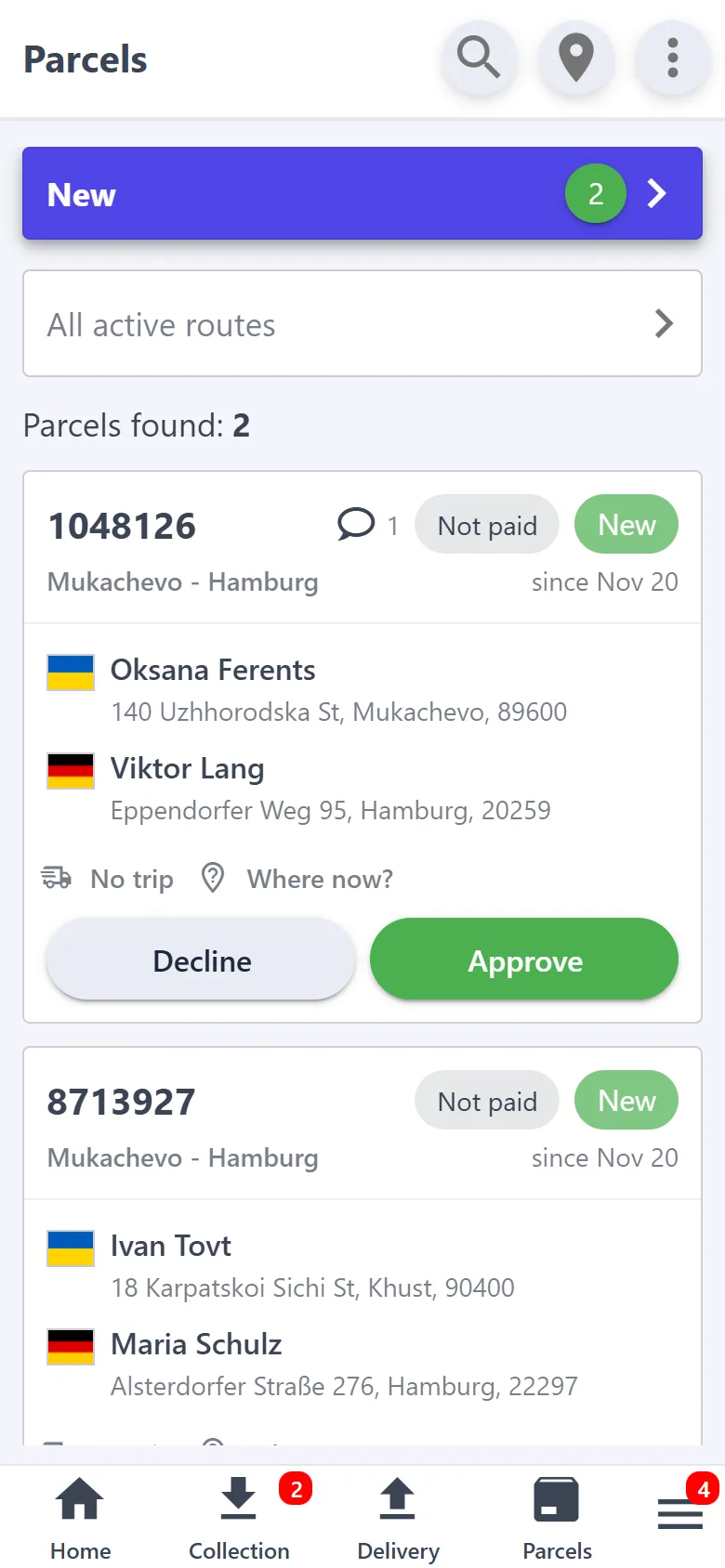
Took a request by phone — enter it yourself: an address with a point on the map, a phone, the weight and a description. For a regular customer, just duplicate their previous parcel.

  • Or the customer places it — on your company page with your terms and routes: vanmove.net/s/your-name. A notification comes to your phone and to Telegram: approve it, pick a trip — done.
  • The customer checks the parcel status by its number — without signing up and without calling you.
  • Messages with the customer stay in the parcel chat, not in messengers.
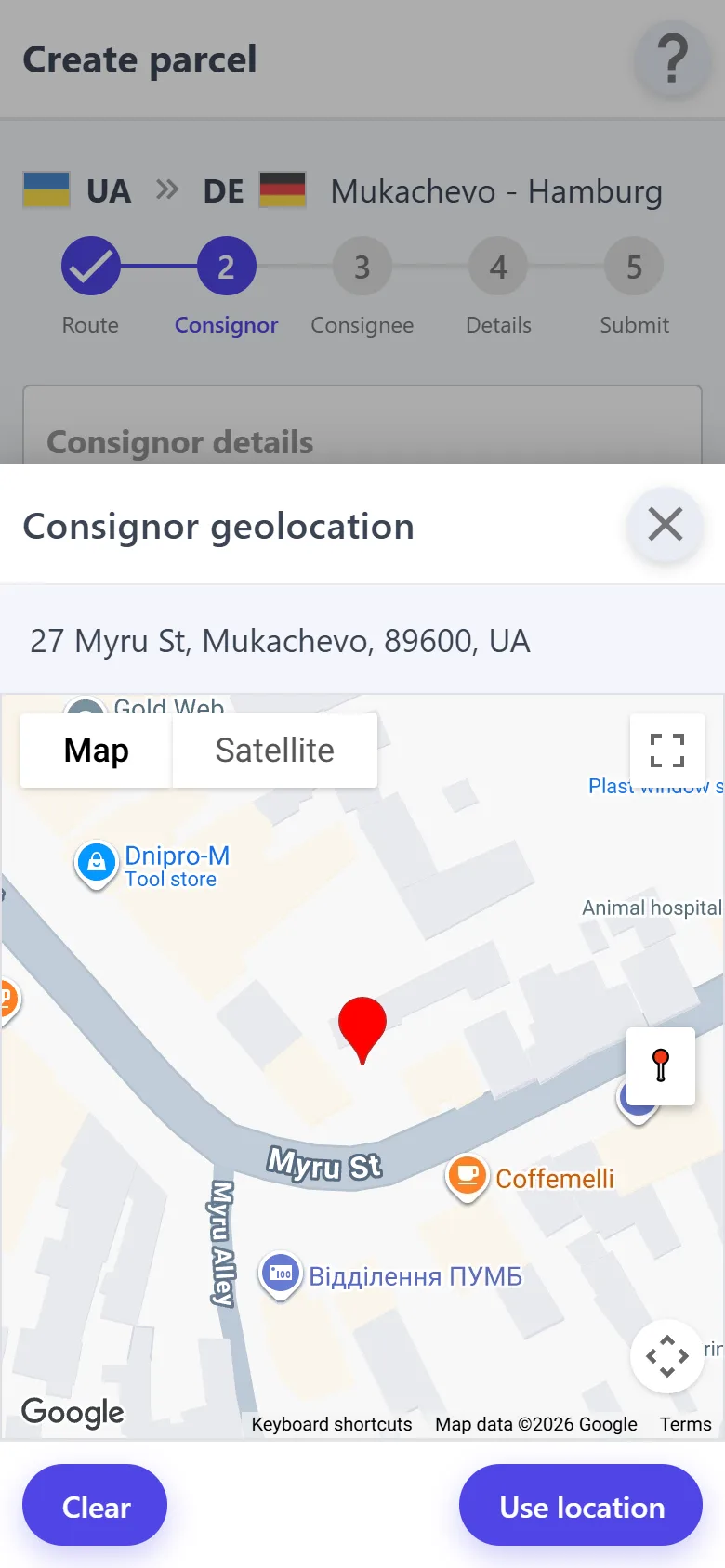
Consignor address with a point on the map
New customer requests with the approve button

A short number on the box

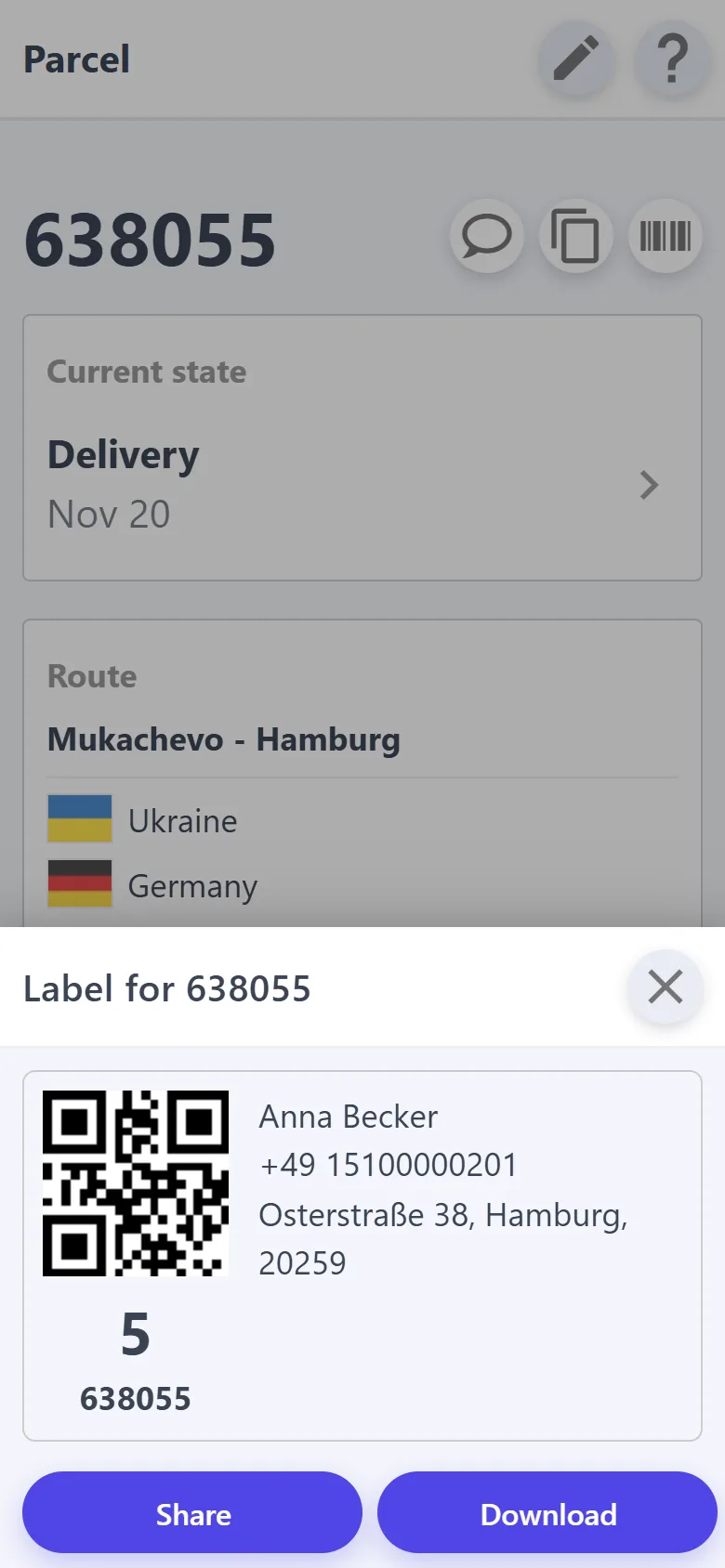
Every parcel has a short number — write it on the box with a marker, as you are used to, and at collection and delivery the parcel is found by a few digits. Have a printer? Print labels with a QR code, and the phone camera opens the parcel.

  • “Where now?” — which van or warehouse the parcel is in and which trip it travels on.
  • Parcel photos are kept on its card — handy if a dispute comes up. They are deleted with the parcel 7 days after delivery, so save the ones you need.
Parcel label with a QR code and a short number
Where the parcel is now: a vehicle or a warehouse

All the day's addresses — on the map, in order

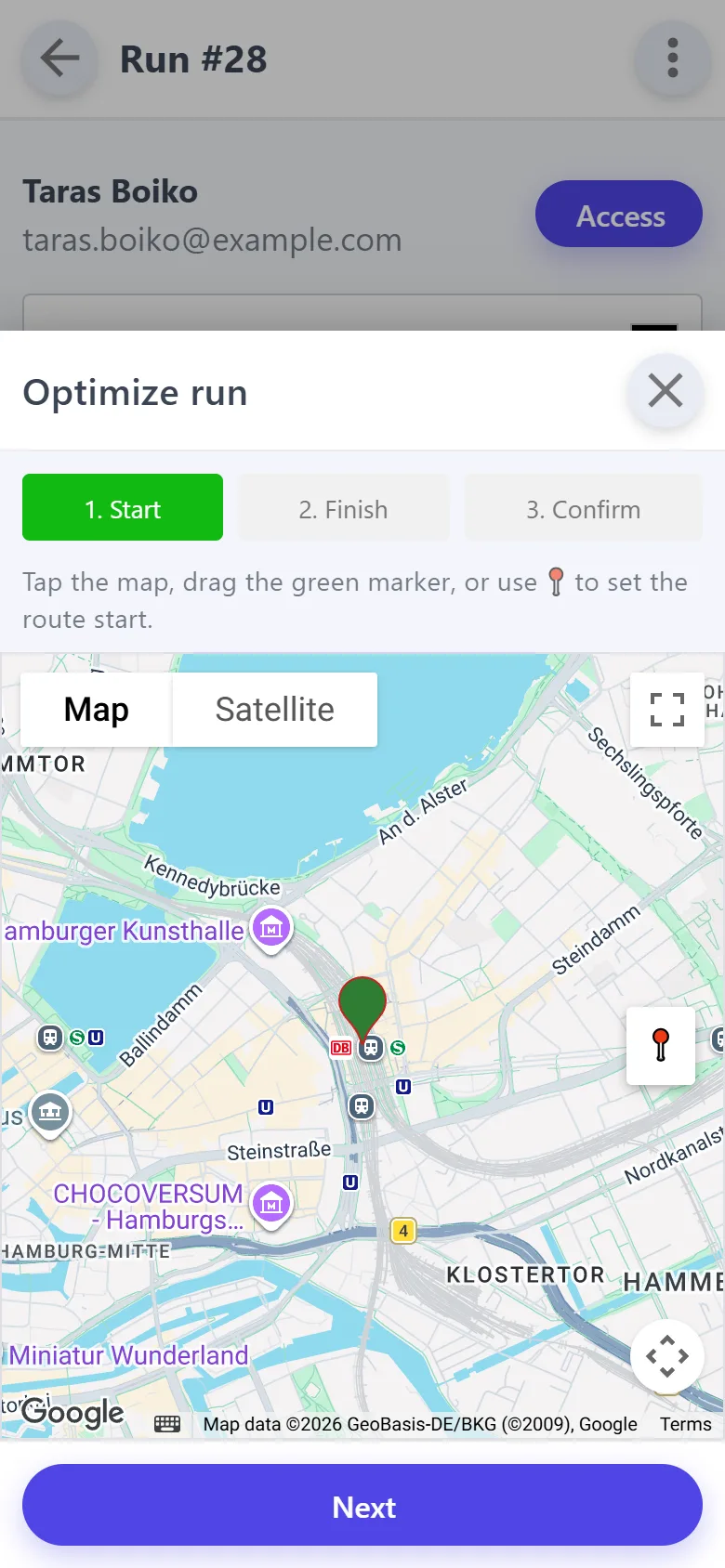
The app suggests the parcels that suit the run by country and vehicle. Several parcels at one address become one stop, and optimization orders the stops so the van doesn't zigzag. Calling and navigation take one tap.

Optimizing a run: start and finish
Run map with stop numbers

Money: who has paid and what was spent

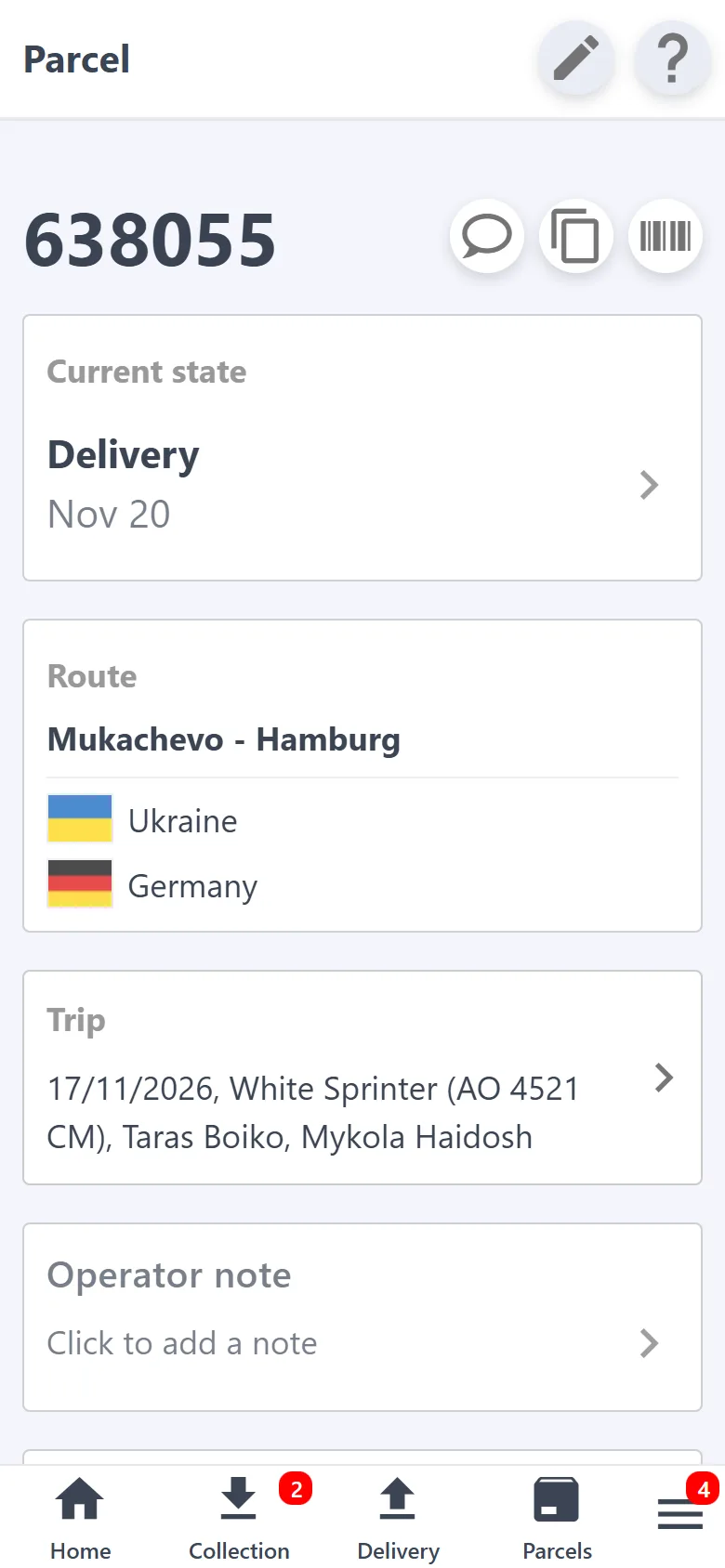
Every parcel shows “Paid” or “Not paid” and the amount collected. A search by payment status shows at once who hasn't settled up yet.

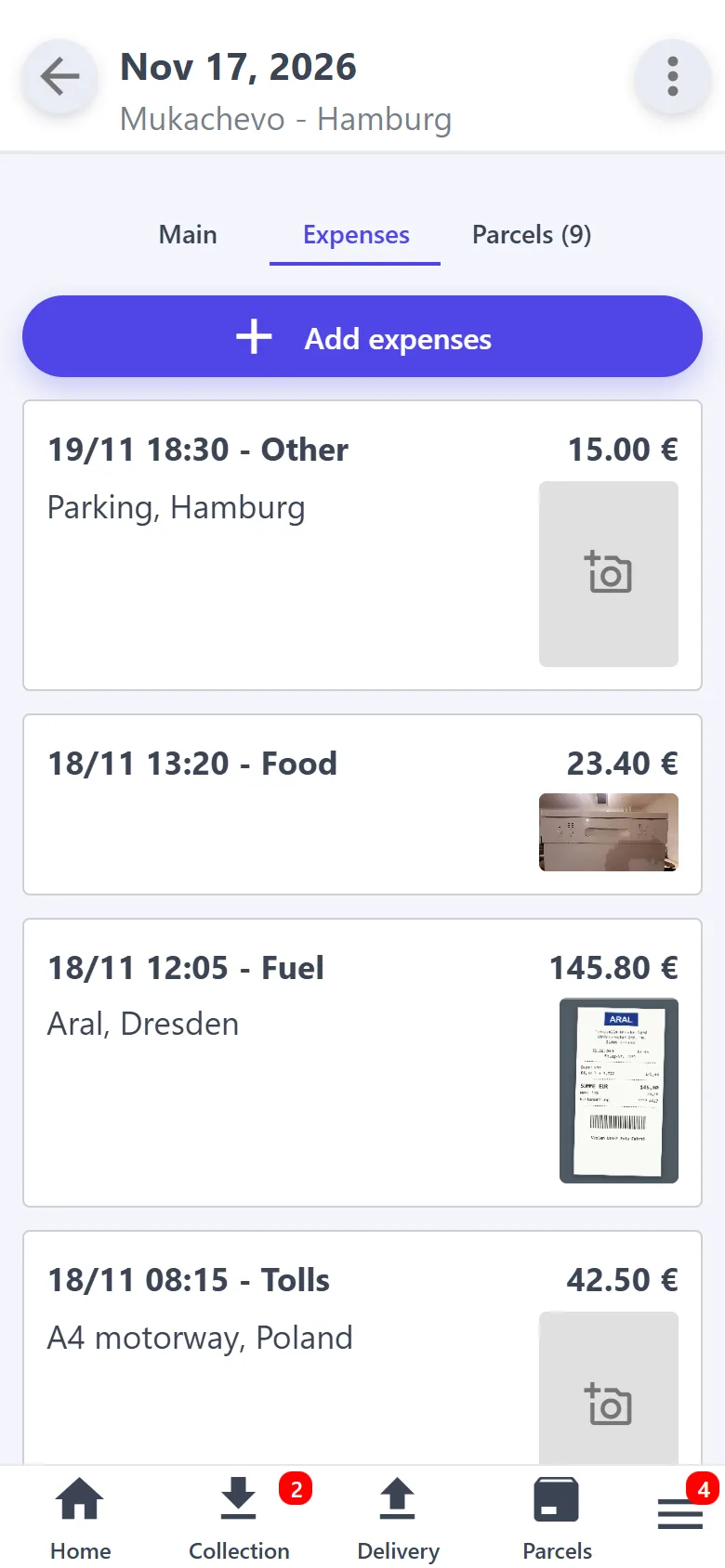
  • Trip expenses — fuel, tolls, repairs — with a receipt photo, in hryvnias, euros, dollars or pounds.
  • The expense total in each currency adds up by itself.
Parcel card with payment
Trip expenses with receipt photos

Works without internet

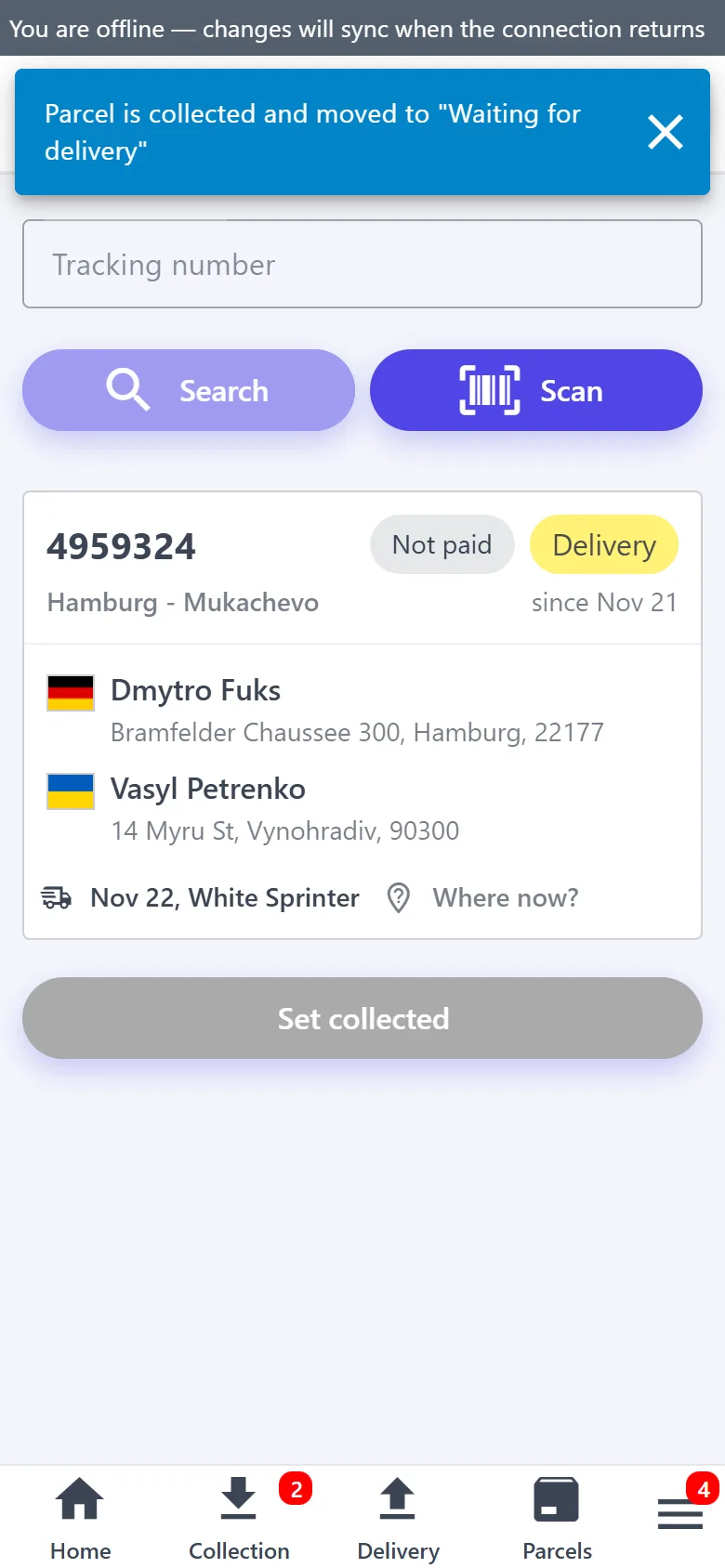
On the highway, at the border, in a basement: collection, delivery, payment and photos are saved on the phone and sent by themselves as soon as the network is back. The upcoming runs and parcels open without a connection, and a new parcel can be created right on the spot — its number is known at once, so you can write it on the box.

  • The driver app works the same way: stop marks, collection, delivery and passengers.
Collecting a parcel offline

Free seats for passengers

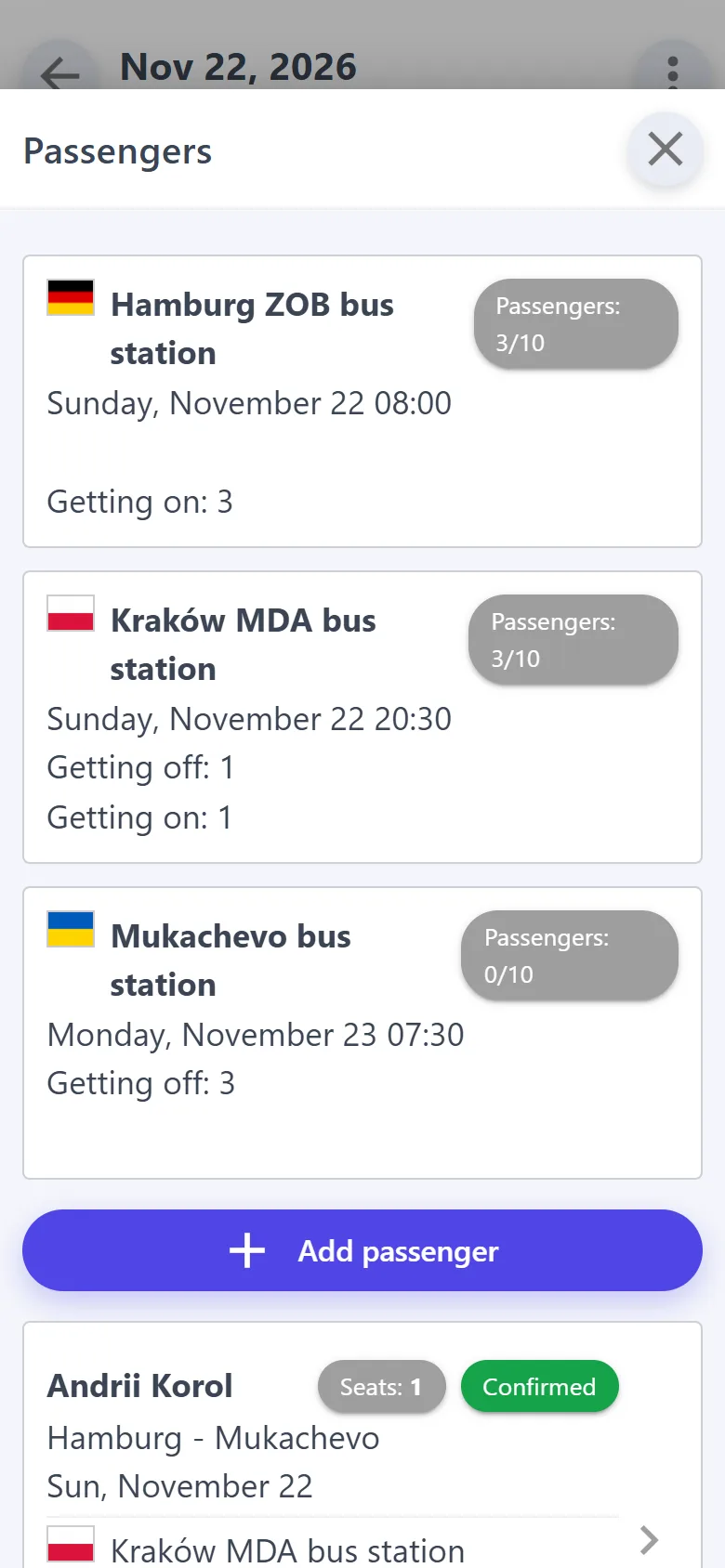
The van drives the route anyway, so its free seats can be sold. On your company page a customer picks where they board and where they get off, sees the free seats between those stops and sends a request. You get a notification; once you confirm, the customer receives an email with the trip, the time and your phone number.

  • Seats are counted per leg: a passenger who gets off in Kraków frees the seat on to Mukachevo.
  • A passenger who phoned you, you add yourself — with the same seat check.
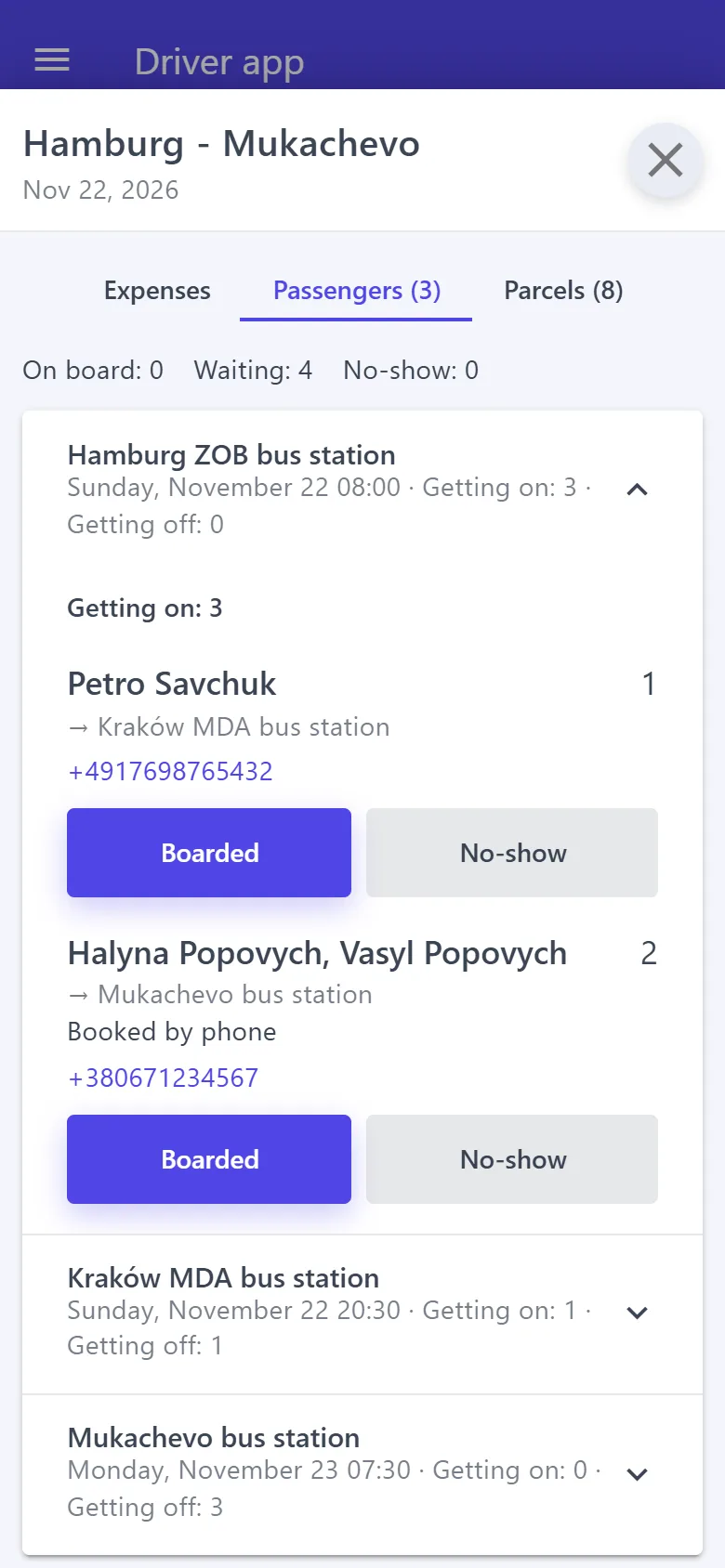
  • The driver sees the tickets stop by stop and marks “Boarded” or “No-show” — even offline.
Trip passengers and seats per leg
Passenger tickets in the driver app

Nova Poshta

A collection or delivery waybill is created automatically for every parcel that goes through a branch — on behalf of your business account, with no copying of addresses. The trip's waybill registry takes one tap.

Loading

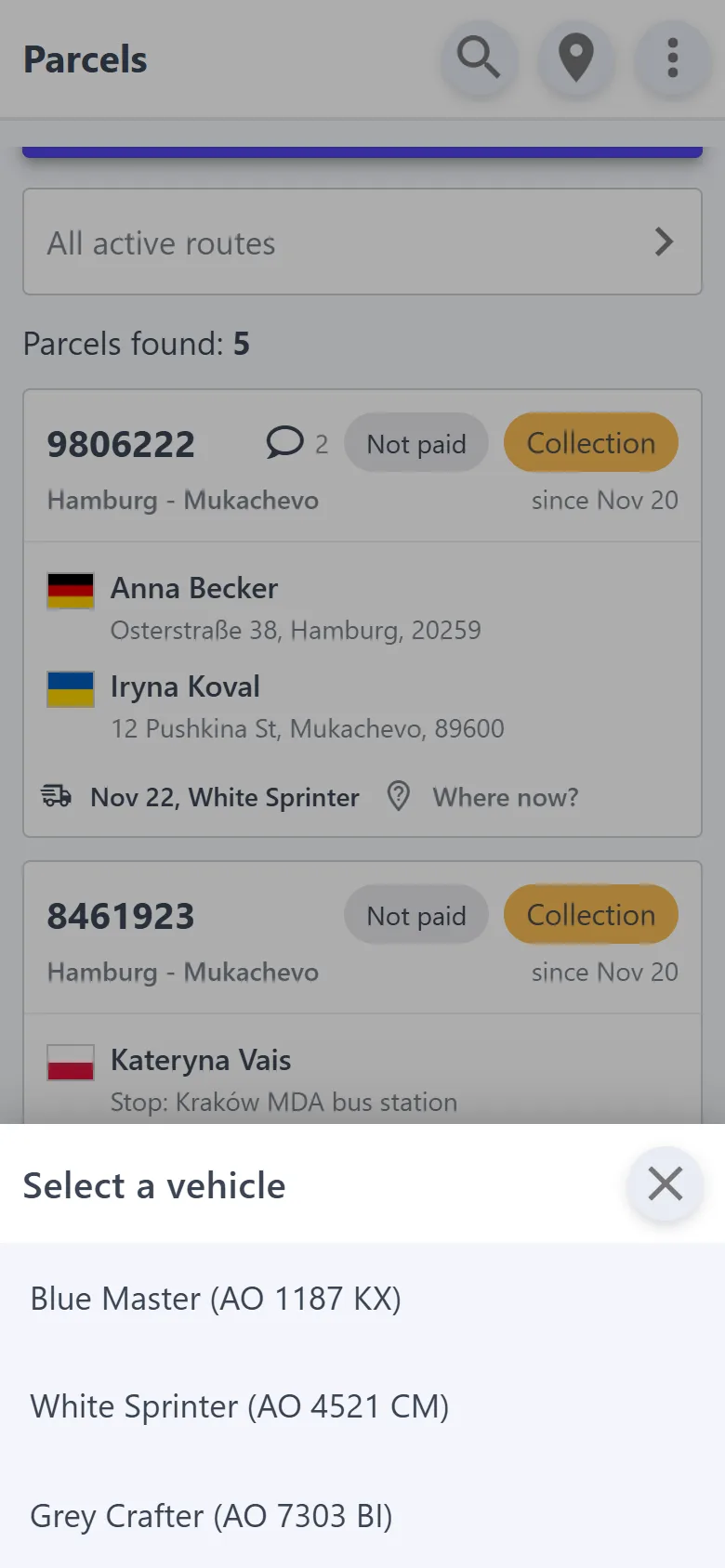
At the warehouse, type the number from the box or scan it, then tap the vehicle. The parcel is recorded in that vehicle and added to its run, and the app suggests a vehicle heading to the same area.

Excel

Parcels with addresses, phones and coordinates export to a spreadsheet — for your own records or a third-party route optimizer.

For owners

Several vans and drivers — and you see everything

No need to call a driver to find out what was done on the road: their marks show up in your app.

The driver sees only their own work

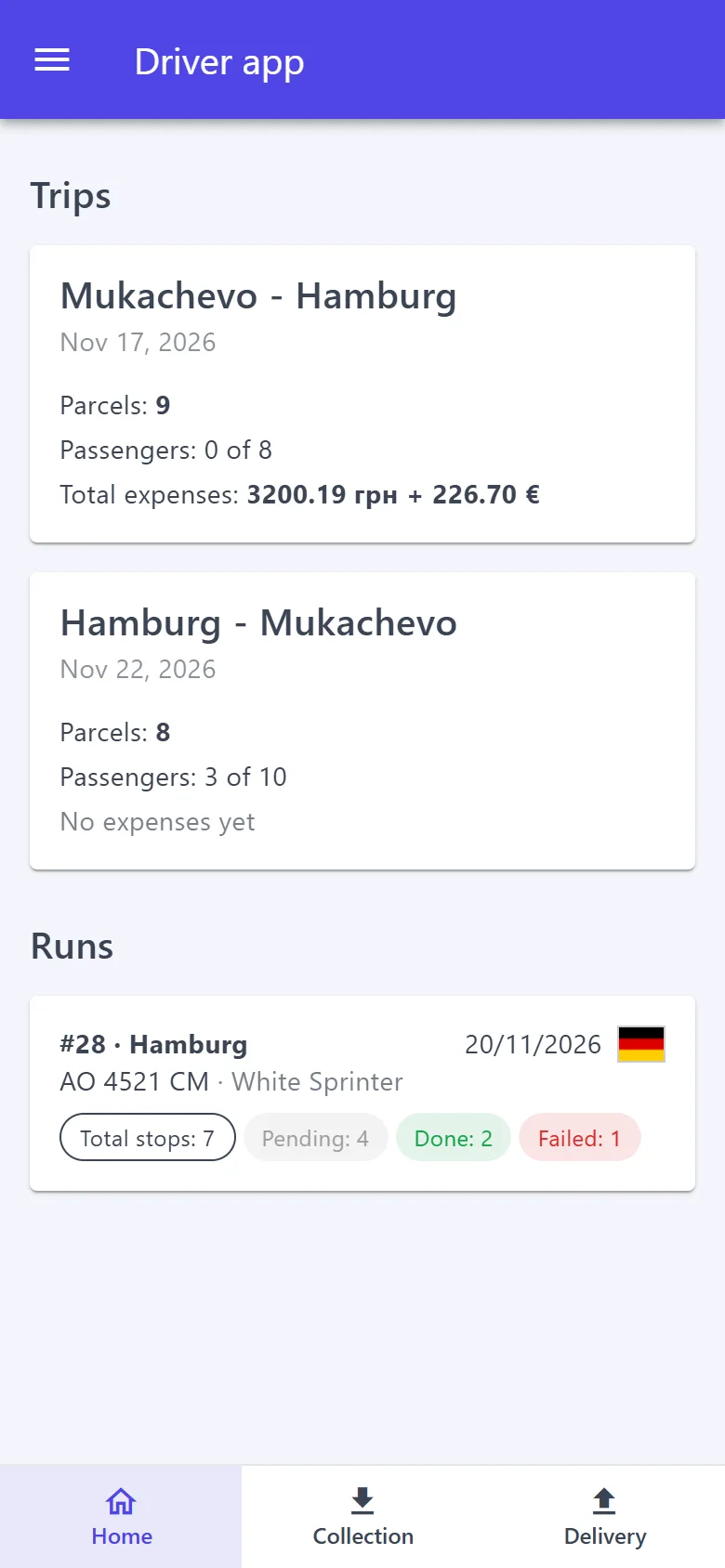
Each driver signs in from their own phone to a separate simple app: their trips and runs, stops one by one, collection, delivery, passengers and expenses with receipts. It works offline too.

  • The driver doesn't see the company settings, customer chats, billing or other drivers' trips.
  • You plan the run: the driver can't add or remove a stop.
  • Every stop has your comment for the driver and the driver's comment for you.
  • The driver signs in at vanmove.net/driver. Open the driver app
The driver's trips and runs
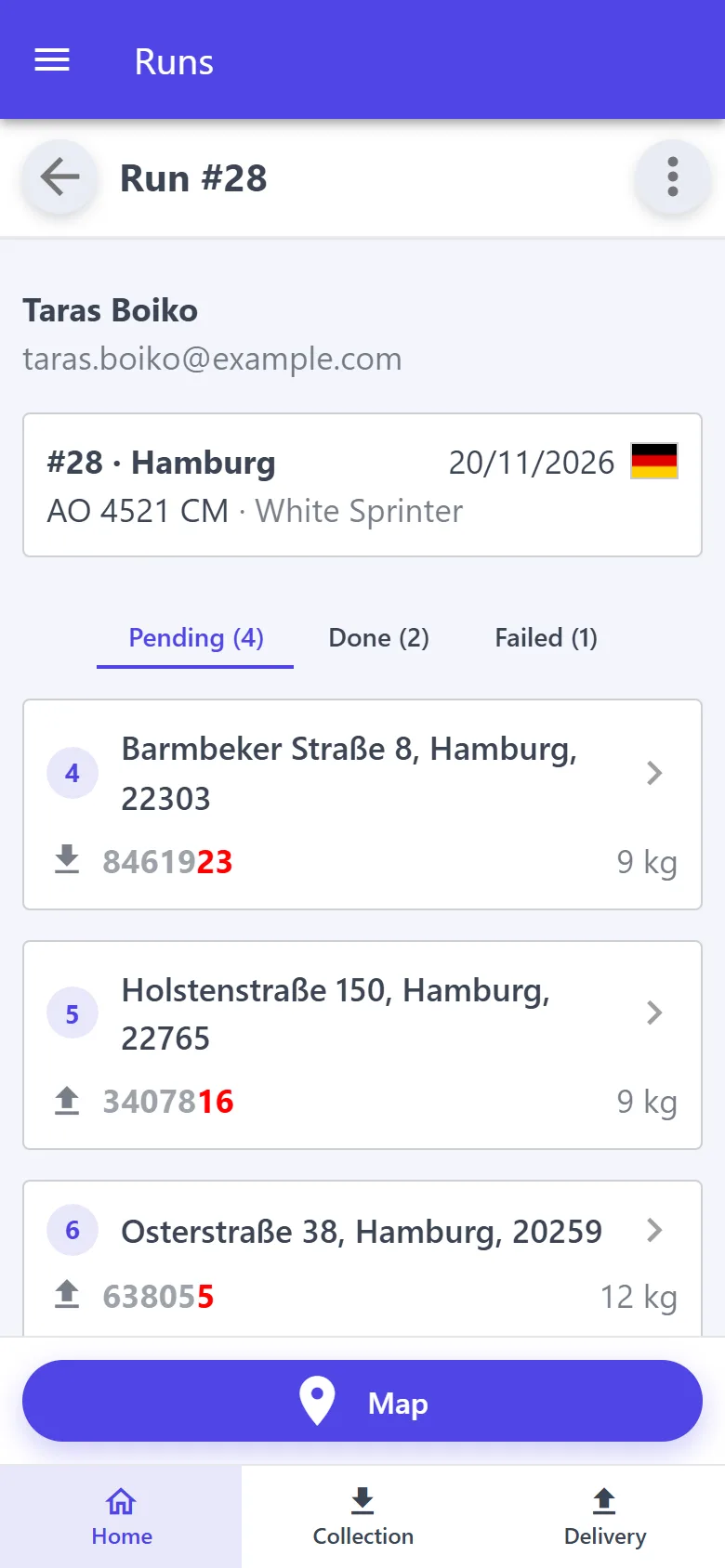
A run in the driver app

Every stop, parcel and payment in view

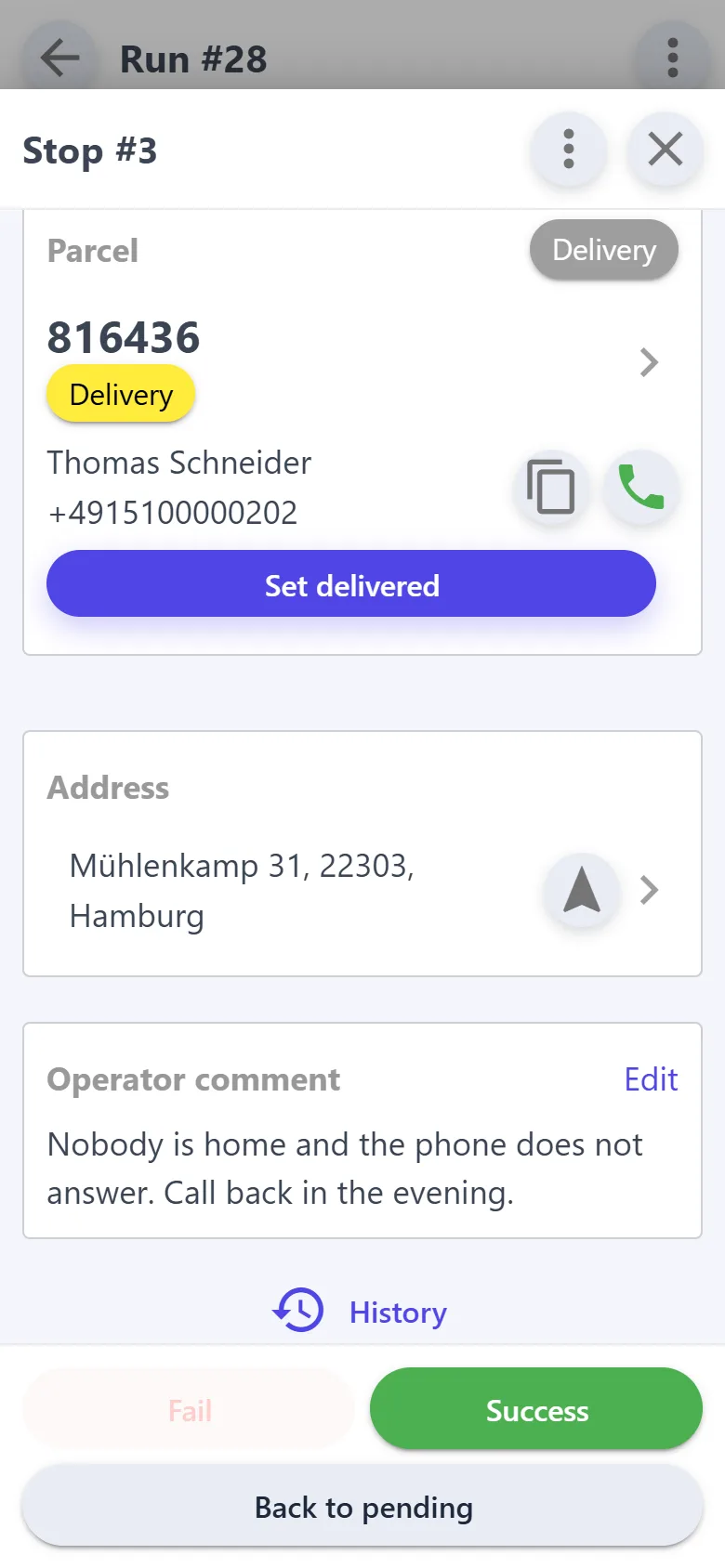
The run shows which stops are still pending, which are done and which couldn't be completed — with counters and times. The driver can't close such a stop without writing the reason.

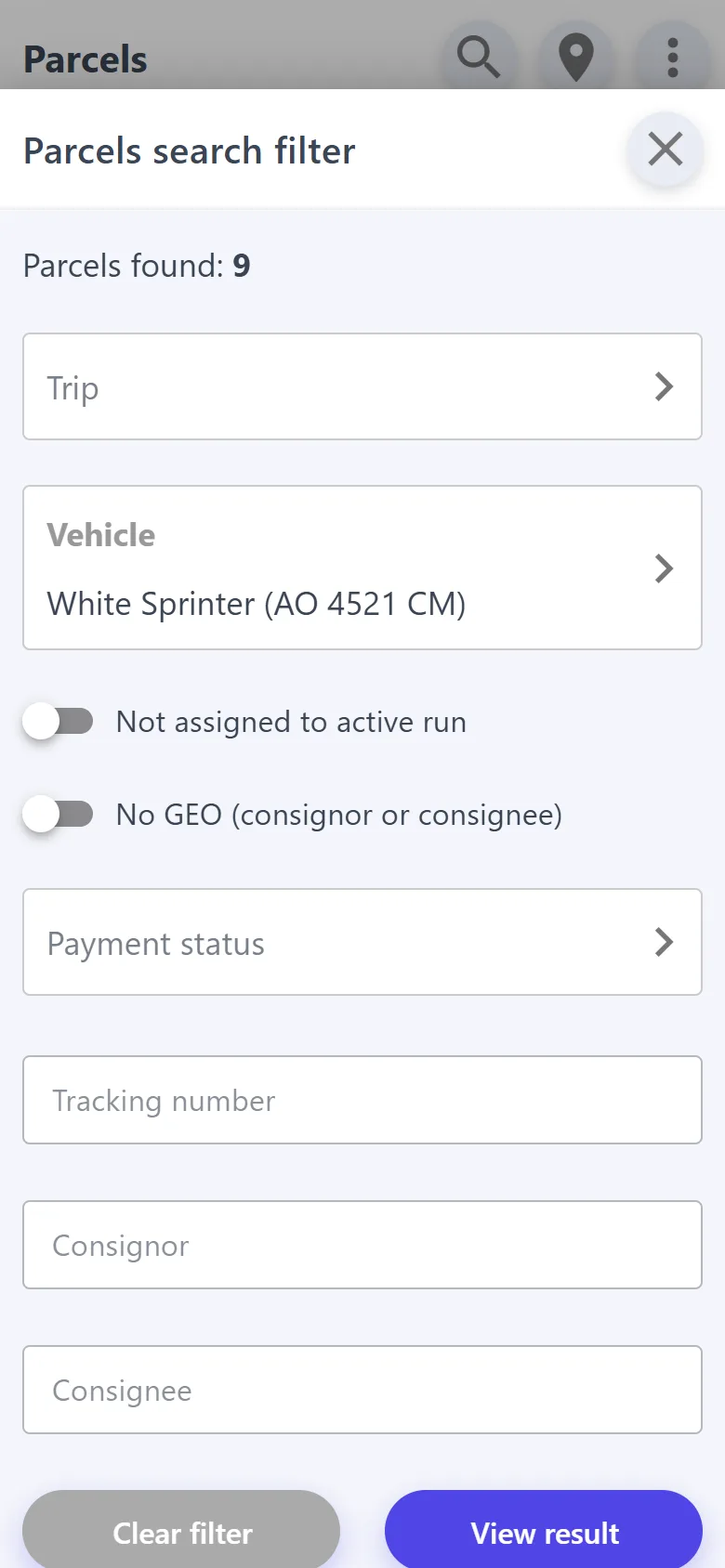
  • The “Vehicle” filter shows everything that is in the van right now.
  • “Not assigned to active run” — parcels nobody has planned yet.
  • Every parcel shows the payment and the amount collected, and the driver adds trip expenses with a receipt photo.
A stop that couldn't be completed, with the reason
Searching parcels by vehicle

A journal: who changed what, and when

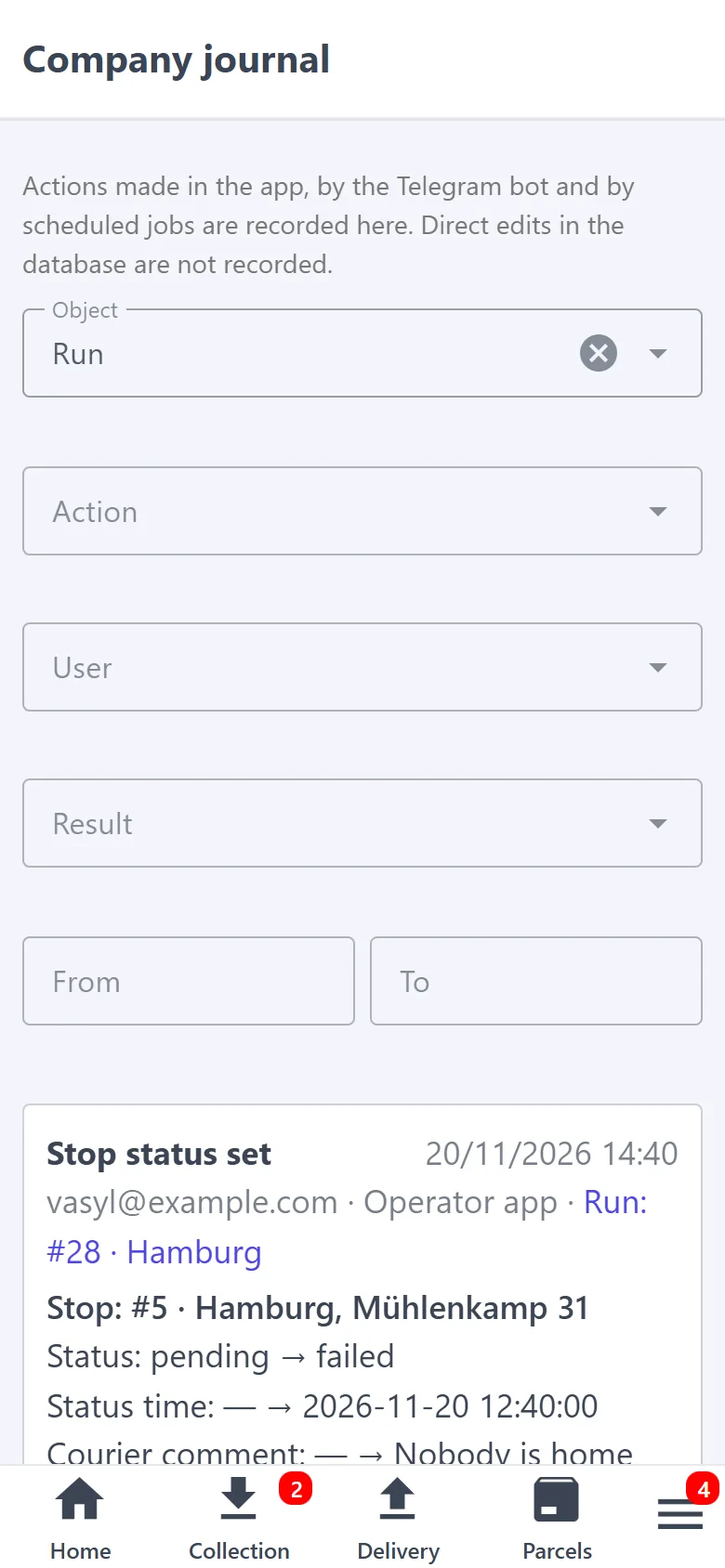
A dispute is easy to sort out. The company journal records every action: who did it, what it was and what it became, when, and from which app — even what was done offline. Entries are kept for 180 days.

  • Every parcel, run, stop and trip has its history.
  • Filters by user, action and date.
Company journal

At the office — on a computer

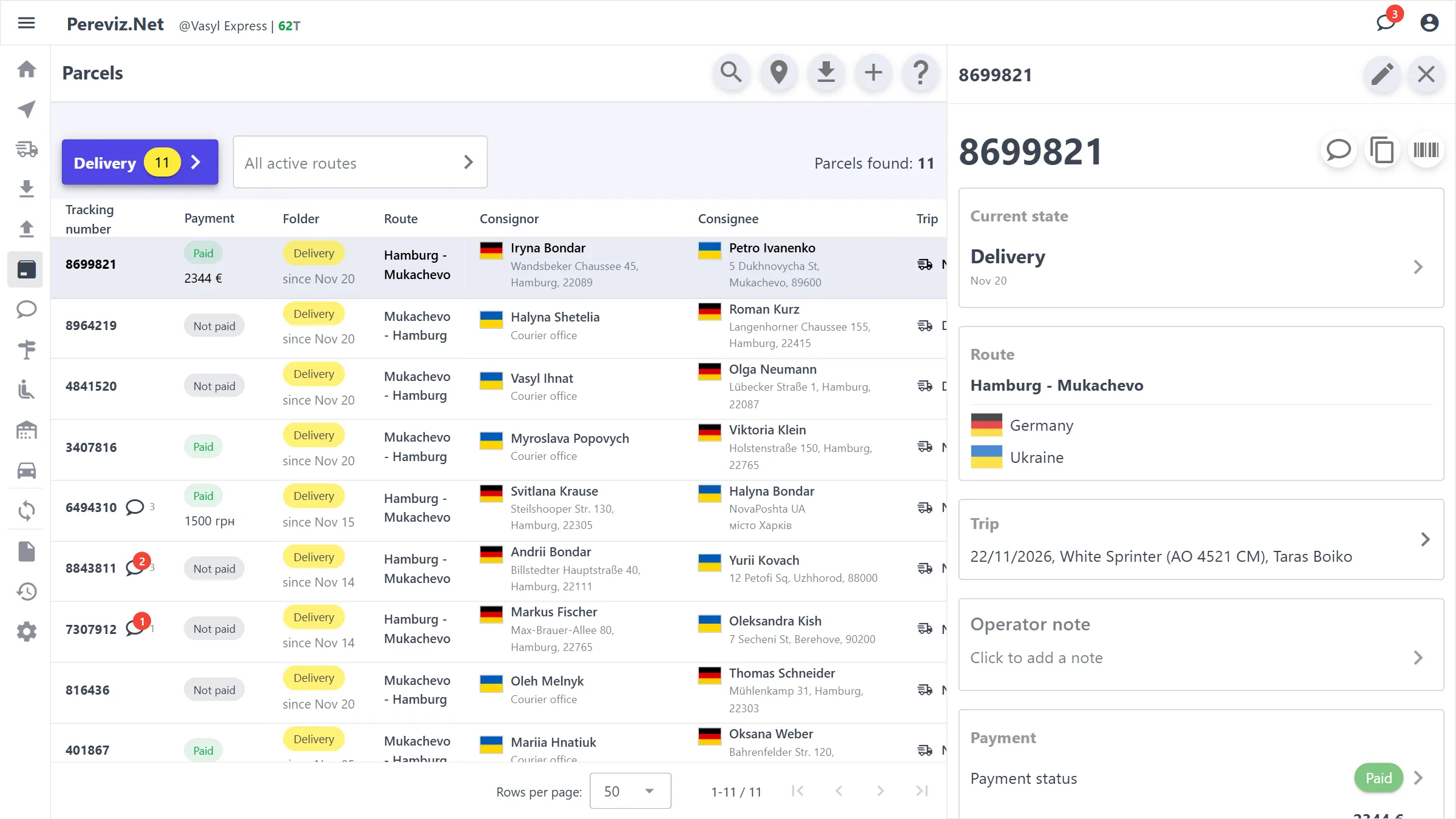
Sorting out requests, planning trips and checking expenses is easier on a big screen. The same account and the same data — just as full-screen tables.

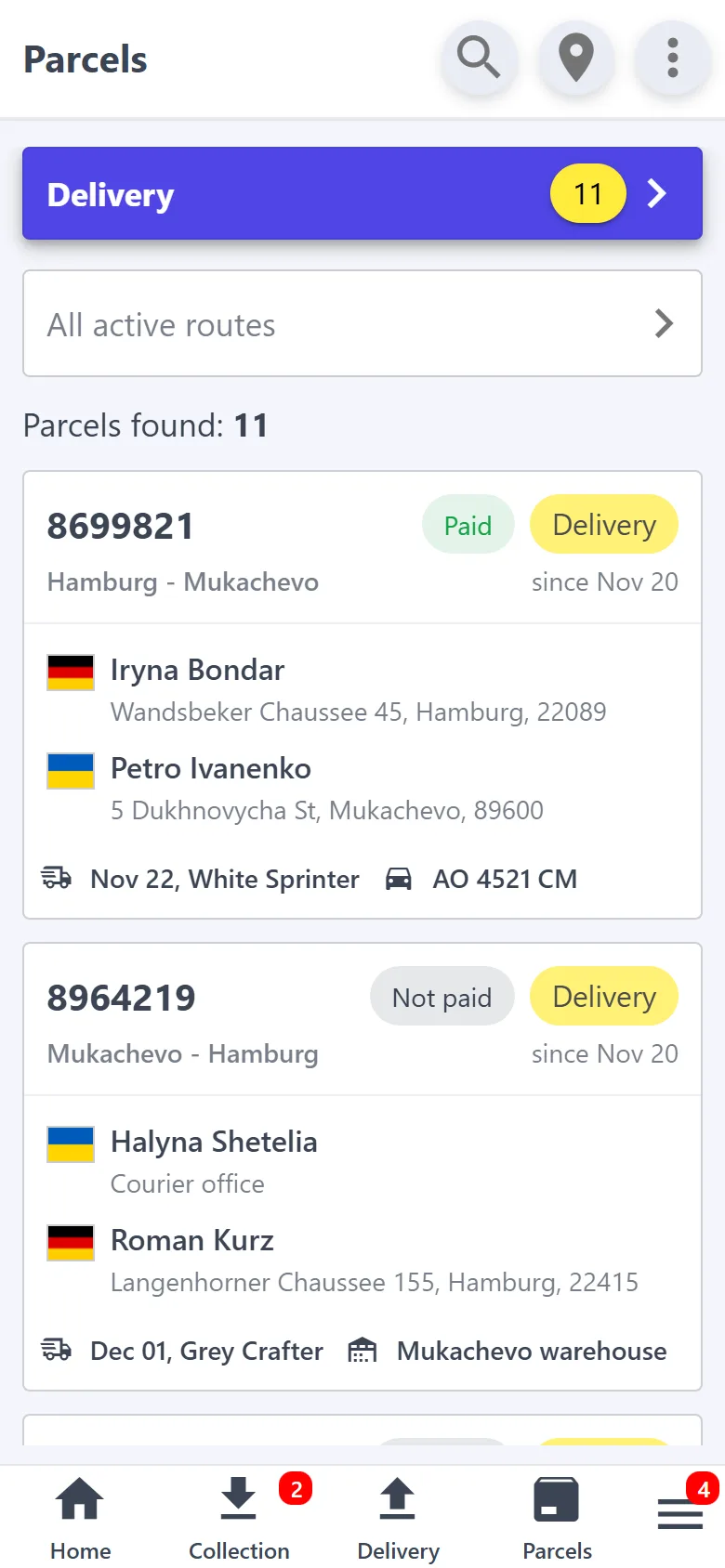
  • Parcels in a sortable table: route, consignor, consignee, trip, location, weight, payment.
  • The parcel card opens next to the table; a request can be approved or declined right there.
  • Nothing to install: vanmove.net/desktop.
vanmove.net/desktop
Desktop version: the parcel table and the parcel card next to it
The same parcels on the phone

Nothing gets misplaced

Parcels, addresses and payments are kept in one system, not in a notebook or chat threads — nothing is mixed up or forgotten on the way to delivery.

Control and transparency

Every step is visible: who did what, and when. Far fewer chances for human error.

Easy to scale

The process is the same at any volume: a thousand parcels are as easy to manage as a hundred.

Getting started

Your first parcel — today

  1. 1

    Sign in with Google

    Create a company — every new company gets 300 parcels free!

  2. 2

    Set up the company

    A phone, a vehicle, a route and the first trip. The app shows you the list of what is still missing.

  3. 3

    Create your first parcels

    Enter parcels yourself — or send customers the link the app gives you so they place them themselves: a new parcel shows up in your app.

  4. 4

    Have drivers? Add them

    Each signs in from their own phone and sees only their own runs. Driving yourself — skip this step.

Route

A permanent direction, for example “Mukachevo → Hamburg”. Customers see it.

Trip

A journey along the route on a set date: the vehicle, the drivers, the parcels, the passengers and the expenses on the road.

Run

A round of addresses in one day in one country: both collection and delivery.

Pricing

Pay only for the parcels you carry

€0.25 per parcel, once — when it goes into work. A confirmed passenger seat costs the same. Start for free
  • 300The first 300 parcels are free. Every new company gets them.
  • 0No subscription fee. New and declined requests cost nothing. No trips — no costs.
  • %Compare it with the delivery price. If a customer pays you €30 for a parcel, the app costs €0.25 of it — less than 1%.
FAQ

What people usually ask

My customers won't place anything themselves. Will it work for me?

Yes. Enter parcels yourself, as you used to in the notebook. The customer link is an extra option, not a requirement.

Whose is the customer data, and can I take it with me?

Yours. Parcels with addresses and phones can be exported to Excel at any time.

How long are parcels kept in the system?

7 days after delivery, all of the parcel's data is permanently and irreversibly deleted from the system, as set out in the Privacy Policy. Export what you need for your records before then.

What happens when the balance runs out?

Customer requests keep coming in, and your parcels stay where they are. Changing parcel statuses and editing parcels is available again after a top-up.

A driver or a customer has no Google account. Why Google?

Any Gmail address will do — one can be created for free in a few minutes. The courier, the driver and a customer who places a request themselves sign in with Google; the parcel status by its number is visible without signing in. No separate password for the app is needed, and your account is protected by the security of your Google account.

Do I need to install anything?

No. The app opens in the browser and is added to the phone's home screen like a regular app — without the App Store or Google Play. On a computer it simply works in the browser.

Which languages does the app speak?

English, Български, Español, ქართული, Română, Русский, Türkçe, Українська. You, your drivers and your customers each choose a language for themselves.

Will you help with the setup?

Yes, for free: we'll help set up the company and connect your drivers and Nova Poshta. Write to us on Viber, Telegram or WhatsApp: +44 7596 014051.

Close the notebook. Open VanMove.net.

The first 300 parcels are free. We'll help with the setup and connection for free too, and answer any question in a messenger.